While a published assessment is open, you can watch your class sit it in real time and step in when something goes wrong. Open the class's Assessments tab and click Monitor on the assessment.
The live roster
The monitor lists every eligible student with their status, how many questions they have answered, their time, and any activity recorded during the sitting. It updates live as students work - the header shows how many have started and submitted.
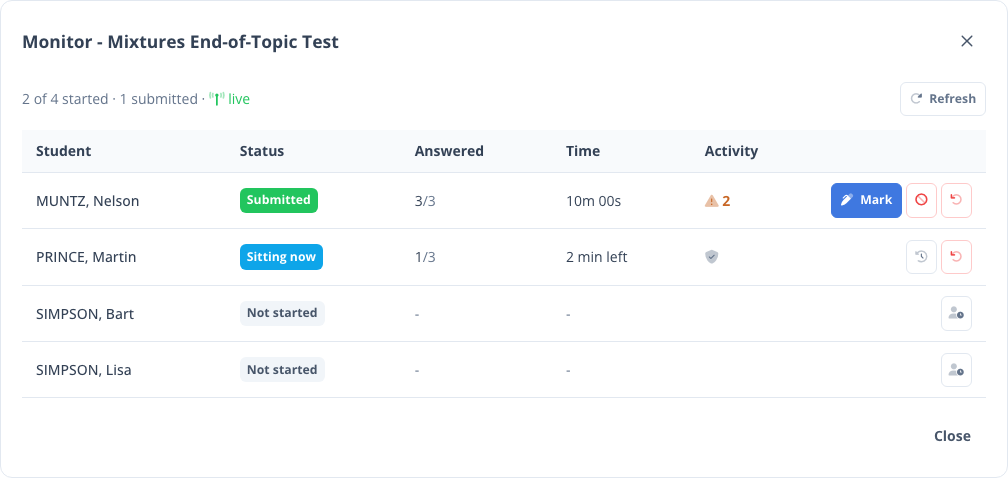
Each student's status tells you where they are: not started yet, sitting now, or submitted. The Time column shows the minutes left while a student is sitting, and how long they took once they have finished - hover over it to see exactly when they started and finished. Any extra time a student has been given shows beside it.
Reading the Activity column
The Activity column flags things worth noticing - a student leaving the test tab, pasting text from outside the test, a large block of text appearing at once, or leaving fullscreen. A warning icon with a count means something was recorded; hover over it to see what. A grey shield means nothing unusual.
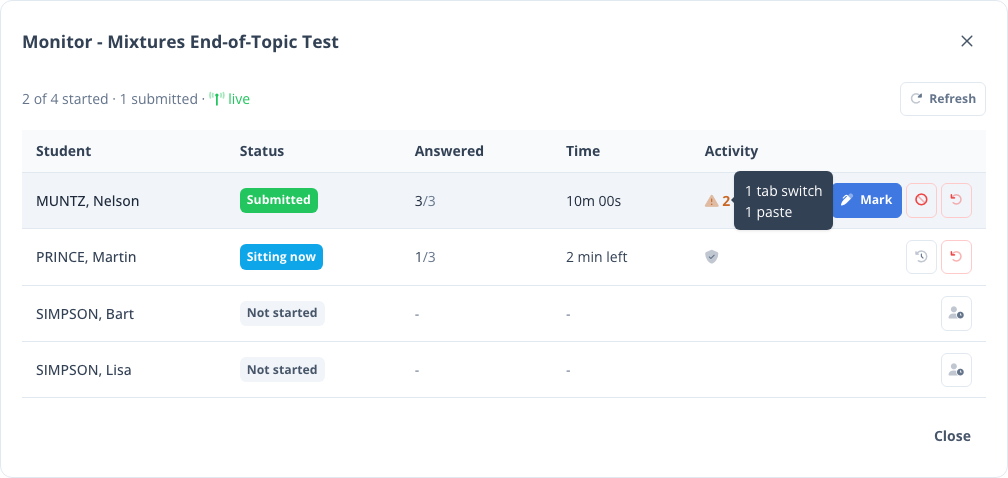
Treat these as observations to discuss, not proof of anything. A tab switch might be an accidental notification; a paste might be a student moving their own rough notes across. They are there to help you have a conversation, never to deliver a verdict on their own.
Stepping in
Sometimes a student needs help mid-test. The action buttons on each row give you the tools for it:
- Extend time adds minutes to a student who is mid-sitting - for a genuine interruption like a dropped connection.
- Extra time accommodation grants a student extra minutes before they begin, for an agreed arrangement.
- Reset attempt archives what they have done and lets them sit again from scratch - use this when a test needs to be re-run, for example after a device failure. Their previous answers are kept for your records, not deleted.
- Void attempt withdraws a submitted attempt so there is no valid result and no re-sit - use this when you have decided an attempt should not count.
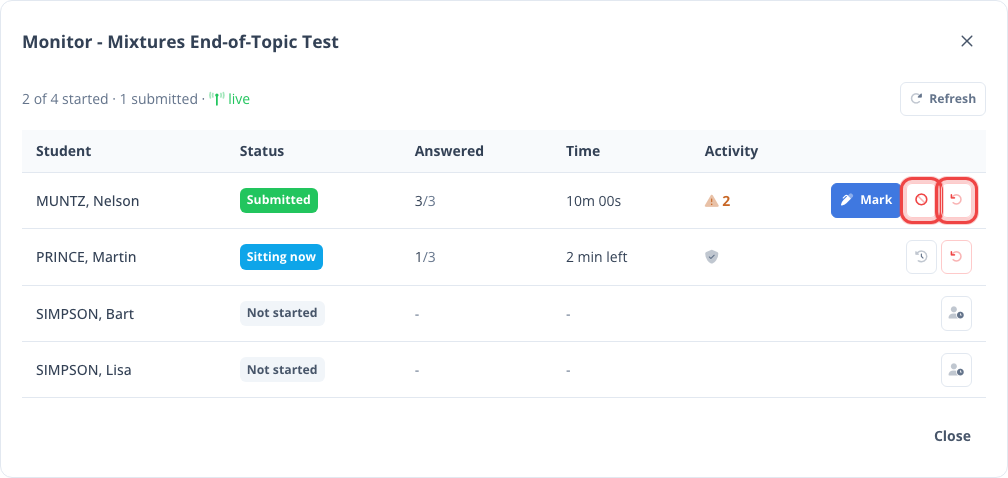
The difference matters: reset gives a fresh go, void takes the result away. Both ask for a short reason, which is kept alongside the attempt.
Once students have submitted, you are ready to mark - see Marking an assessment.